
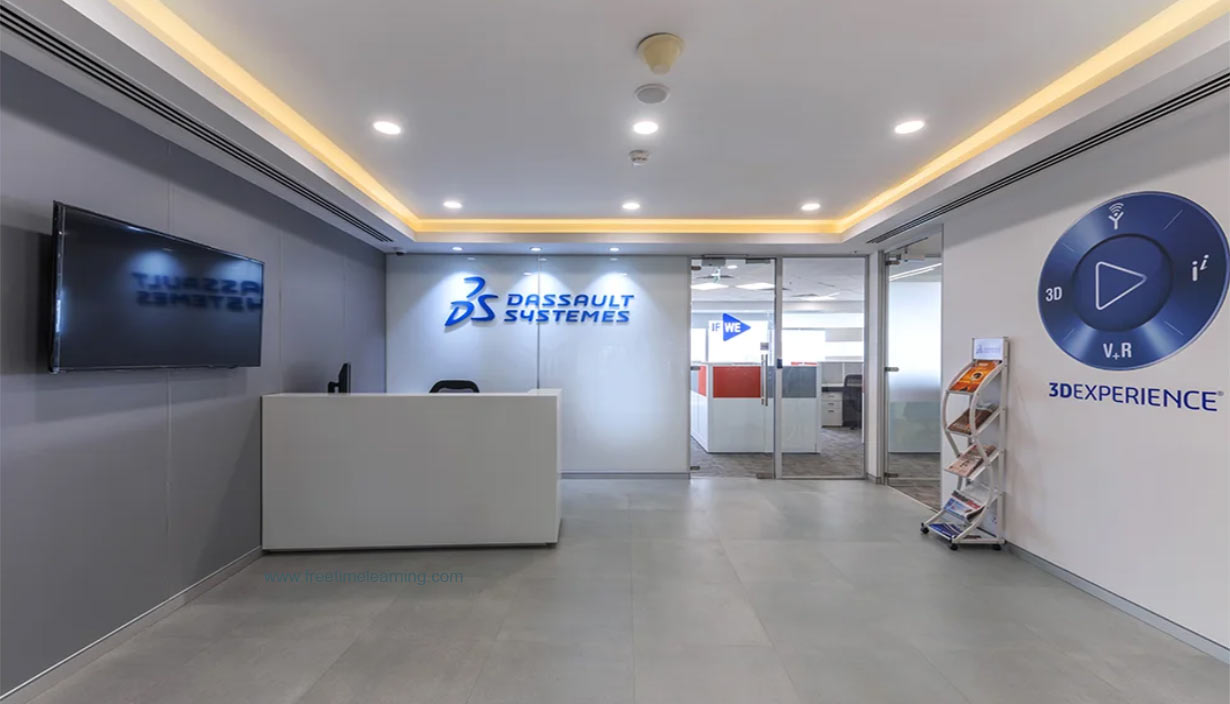
Dassault Systèmes' recruitment process typically follows a structured and professional path, focused on both technical capabilities and cultural fit. The process can vary slightly depending on the role (e.g., engineering, software development, marketing) and location, but here's a general outline:
Online Application: You apply through their official careers website or through job portals like LinkedIn or Glassdoor.
You may need to upload a resume, cover letter, and fill out relevant details.
HR and hiring managers review your application for relevant experience, skills, and alignment with the role.
Shortlisted candidates are contacted via email or phone.
For technical or engineering roles, you may be asked to complete:
Aptitude tests (logical reasoning, numerical ability)
Coding tests (for software roles – typically on platforms like Codility or HackerRank)
Usually conducted by senior engineers or team leads.
Questions may cover:
Programming (for software roles): Data structures, algorithms, OOP
CAD/PLM knowledge (for design roles): CATIA, SOLIDWORKS, etc.
Domain-specific problems
Past project discussion
Discussion of your motivation, cultural fit, long-term goals
Questions around:
Teamwork and collaboration
Conflict resolution
Career aspirations
You may be asked situational or behavioral questions (STAR format is helpful)
In some cases, especially for experienced or strategic roles, there may be a final round with senior leadership.
If selected, you receive a formal offer letter.
After accepting, onboarding begins, typically including an induction to Dassault’s 3DEXPERIENCE ecosystem.
| Criteria | Requirement |
|---|---|
| Educational Background | Bachelor's or Master's degree in Engineering (BE/B.Tech/ME/M.Tech) or in Computer Applications (MCA/BCA) in any field. Some positions may require a specific degree or specialized training. |
| Relevant Technologies | Knowledge or experience in Java, C++, C#, and 3D modelling and simulation software. |
| Experience | Fresh graduates with 0-2 years of experience. Candidates who graduated in the years 2019, 2020, 2021, & 2022 as well as experienced professionals who meet the other qualifications are accepted. |
Know their products: CATIA, SOLIDWORKS, 3DEXPERIENCE.
Understand their values: Innovation, sustainability, digital transformation.
Be ready with projects: Especially if you're a fresher or intern candidate.
Use STAR method in behavioral questions.
Method overloading allows multiple functions with the same name but different parameter lists (e.g., type, number) in the same class. For example, void print(int x) and void print(float x) are overloaded. The compiler selects based on arguments. Overriding occurs when a derived class redefines a virtual base class method, e.g., virtual void display() override in a subclass. Overloading is resolved at compile-time (static polymorphism), while overriding happens at runtime (dynamic polymorphism) via virtual functions. Overloading enhances flexibility, while overriding supports inheritance-based specialization, crucial for frameworks like CATIA or SOLIDWORKS.
In C, dynamic memory is allocated using malloc(), calloc(), or realloc() from the library. For example, int *ptr = (int*)malloc(10 * sizeof(int)) allocates memory for 10 integers, requiring explicit typecasting. Memory must be freed using free(ptr) to avoid leaks. In C++, the new operator is preferred, e.g., int *ptr = new int[10], which automatically handles type and size. C++ also supports delete (delete ptr) or delete[] for arrays. C++’s new can throw exceptions if allocation fails, unlike C’s functions, which return NULL. Always check for allocation success and manage memory to prevent leaks or dangling pointers.
A Python list is implemented as a dynamic array under the hood, allowing efficient resizing and heterogeneous data storage. Internally, it maintains a contiguous block of memory for pointers to objects, not the objects themselves, enabling mixed types. When the list grows beyond its allocated capacity, Python reallocates a larger array (typically doubling the size) and copies elements, ensuring amortized O(1) appends. Indexing is O(1), but insertions/deletions are O(n) due to shifting. Lists are accessed via zero-based indices, and their flexibility makes them ideal for tasks in Dassault’s simulation tools.
Pointers and references in C++ both provide indirect access to variables, but they differ significantly. A pointer is a variable storing a memory address, e.g., int* ptr = &x, and can be reassigned or null. It requires dereferencing (*ptr) to access the value.
References, declared as int& ref = x, are aliases for variables, cannot be null, and cannot be reassigned after initialization. References are safer, as they avoid pointer arithmetic errors, but pointers offer flexibility for dynamic memory or reseating. In Dassault’s software, pointers are common in low-level memory management, while references suit function parameters.
Regression testing verifies that new code changes haven’t adversely affected existing functionalities. It involves re-running test cases (manual or automated) to ensure no new defects arise in previously working features. Regression defects are bugs introduced by updates, such as a new feature breaking an existing module. For example, updating a CAD tool’s rendering might disrupt its export function. To catch these, QA engineers at Dassault Systèmes use automated scripts (e.g., Selenium, Python) and maintain comprehensive test suites. Regular regression testing, often daily or per build, ensures stability in complex systems like 3DEXPERIENCE.
In automation, data is driven using frameworks like Data-Driven Testing (DDT), where test scripts read inputs from external sources (e.g., CSV, JSON, databases). For example, in Python with Selenium, I’d use pandas to read test data and feed it into scripts. To validate accuracy, I’d compare actual outputs against expected results, using assertions or tools like pytest. For precision, I’d ensure data consistency (e.g., correct formats, ranges) via preprocessing checks. Logging and reporting (e.g., Allure) help track failures. In Dassault’s context, this ensures reliable testing of simulation or PLM features across diverse inputs.
Polymorphism allows objects to be treated as instances of a parent class, enabling methods to behave differently based on the object type (e.g., virtual functions in C++). Inheritance lets a class derive properties from a base class, promoting code reuse (e.g., a CADTool class inheriting from Tool). Dynamic programming is an algorithmic technique to solve problems by breaking them into overlapping subproblems, storing results to avoid recomputation (e.g., Fibonacci via memoization). In Dassault’s software, polymorphism and inheritance are key for modular design, while dynamic programming optimizes performance in simulation algorithms.
Four people (A: 1 min, B: 2 min, C: 5 min, D: 10 min) must cross a bridge, but only two can cross at a time, and they need a torch (returned by the pair). The goal is to minimize total time.
The optimal strategy is: (1) A and B cross (2 min), (2) A returns (1 min), (3) C and D cross (10 min), (4) B returns (2 min), (5) A and B cross (2 min).
Total: 2+1+10+2+2=17 minutes. This tests logical optimization, relevant for Dassault’s algorithmic challenges.
Pick a ball from the box labeled “mixed.” Since labels are wrong, it’s either all red or all blue. If you pick a red ball, the box is all red, so label it “red.” The box labeled “red” (not red) must be mixed (since “blue” is wrong), and the “blue” box is red. If you pick a blue ball, the box is all blue, so label it “blue”; the “red” box is mixed, and “blue” is red. One pick corrects all labels, testing logical deduction for Dassault’s problem-solving roles.
SOLIDWORKS is a powerful and user-friendly 3D CAD (Computer-Aided Design) software developed by Dassault Systèmes. It is widely used for mechanical design, simulation, and product documentation. One of its key strengths is parametric modeling, which allows users to create and modify designs by changing dimension values. Other notable features include:
3D Part and Assembly Modeling: Design complex parts and assemblies with ease.
2D Drawing Generation: Automatically create dimensioned 2D drawings from 3D models.
Sheet Metal & Weldment Tools: Design sheet metal parts and structural frames with specific tools.
Simulation & Analysis: Perform static, thermal, and motion simulations using integrated tools like SOLIDWORKS Simulation.
Rendering & Visualization: Create photorealistic images and animations with SOLIDWORKS Visualize.
Design Automation: Use configurations, design tables, and DriveWorks to automate repetitive tasks.
PDM Integration: Manage design data and control revisions using SOLIDWORKS PDM (Product Data Management).
Its intuitive interface, wide industry adoption, and seamless integration with other Dassault tools (e.g., 3DEXPERIENCE) make it a top choice for mechanical engineers and product designers.
Debugging a failing simulation in SIMULIA, particularly in tools like Abaqus, requires a systematic approach. SIMULIA provides powerful simulation capabilities, but simulations can fail due to errors in model setup, boundary conditions, meshing, or solver settings. Here’s how I would approach debugging:
Check the .msg and .dat files: These output logs provide error messages, warnings, and solver status. Carefully read them to identify specific issues, such as convergence problems or incorrect boundary conditions.
Review Boundary Conditions and Constraints: Ensure that all degrees of freedom are properly constrained. Over-constrained or under-constrained systems often cause instabilities or singularities.
Examine Material Properties: Invalid or unrealistic values for properties like Young’s modulus, Poisson’s ratio, or density can cause simulations to behave incorrectly. Double-check units and values.
Refine the Mesh: Poor-quality or overly distorted elements can cause solver failures. Use mesh diagnostics to identify problem areas and refine the mesh where necessary.
Reduce Complexity: If debugging is difficult, simplify the model. Start with a smaller version or single component and add complexity gradually.
Use Step-by-Step Analysis: Run simulations in stages—e.g., apply loads incrementally or run linear analysis before a nonlinear one to isolate the failure point.
Check Contact Interactions: In contact problems, ensure that surfaces are correctly defined and not penetrating or disconnected.
Solver Settings: Try adjusting convergence tolerances, damping factors, or using alternative solvers if supported.
This process ensures that both the physical realism and numerical setup of the simulation are sound, leading to accurate and stable results.
Working in a Product Lifecycle Management (PLM) environment presents many benefits—such as improved collaboration, data consistency, and lifecycle visibility—but also comes with several challenges that professionals must be prepared to navigate:
User Adoption and Training: One of the biggest hurdles is ensuring that all team members are trained and comfortable using the PLM system. Resistance to change or lack of understanding can reduce the platform’s effectiveness.
Data Migration: Migrating legacy data into a PLM system is often complex and risky. Data formats may be inconsistent, incomplete, or incompatible with the new system, requiring extensive cleansing and validation.
System Integration: PLM systems often need to integrate with other enterprise systems like ERP, CRM, or MES. Ensuring seamless data exchange and system compatibility can be technically demanding and requires coordination across departments.
Access Control and Security: Managing permissions for large teams while protecting sensitive intellectual property is crucial. A mistake in access control could lead to data breaches or unintentional design modifications.
Customization vs. Standardization: Organizations often struggle with customizing the PLM to fit unique processes without over-complicating the system or deviating from best practices. Over-customization can make future updates difficult.
Scalability and Performance: As the amount of product data grows, ensuring that the PLM system remains responsive and scalable can become a technical bottleneck.
Change Management and Version Control: Managing revisions, ensuring all stakeholders have access to the latest version, and maintaining a clear audit trail are critical, but they can be error-prone without strict protocols.
In short, while PLM systems like Dassault’s ENOVIA offer powerful capabilities, successful implementation requires careful planning, ongoing training, and a collaborative organizational culture.
Managing a project involving multiple stakeholders and tight timelines requires a strategic blend of project management, communication, and technical discipline. Here's how I would approach it:
Clearly Define Objectives and Scope: Begin by aligning all stakeholders on the project goals, scope, and deliverables. Use a formal project charter or kickoff meeting to ensure mutual understanding and commitment.
Stakeholder Mapping and Prioritization: Identify all key stakeholders and categorize them based on their influence and interest. Maintain a stakeholder matrix to manage expectations and communication effectively.
Detailed Planning and Milestones: Break the project into phases with well-defined tasks and realistic deadlines. Use tools like Gantt charts or Agile boards (e.g., in Jira or 3DEXPERIENCE Project Management) to visualize progress.
Assign Roles and Responsibilities (RACI Model): Make it clear who is Responsible, Accountable, Consulted, and Informed for each major task to prevent overlap or ambiguity.
Agile or Hybrid Approach: For tight timelines, use Agile principles—prioritize features, deliver in iterations (sprints), and adapt quickly based on feedback. This approach allows continuous delivery and faster issue resolution.
Effective Communication Channels: Establish regular check-ins, status reports, and escalation paths. Use collaborative platforms like the 3DEXPERIENCE dashboard or Microsoft Teams to keep everyone aligned.
Risk Management: Identify potential risks early and develop mitigation strategies. Build contingency time into your schedule to handle unexpected issues.
Track Progress and KPIs: Use key performance indicators (KPIs) like on-time task completion, budget variance, and resource utilization to monitor the project’s health and make data-driven adjustments.
Feedback Loop and Documentation: Encourage open feedback, document lessons learned, and continuously improve processes throughout the project lifecycle.
By combining structured planning with adaptive execution and clear stakeholder engagement, I can ensure a project's success even under pressure and complex collaboration demands.
class FreeTimeLearn{
public static void add(int a, int b) {
return a+b;
}
public static void main(String[] args) {
int res = 0;
for(int i = 0; i < 100; i++) {
res += add(i, i*10);
}
System.out.println(res);
}
}| Feature | HashSet | TreeSet |
|---|---|---|
| Underlying Data Structure | HashTable. | Height Balanced Tree. |
| Ordering |
Unordered. (It doesn't follow any sequence, like ascending order) |
Ordered. (It follows the sequence, i.e, sorting) |
| Time Complexity | O(1) for add, remove, and contains operations. | O(log n) for add, remove, and contains operations. |
| Null elements | Allows one null element. | Not allowed. |
| Sorted |
Not Sorted. (If we print the value, the output is not printed in sorted order) |
Sorted. (Inserted value follows a sorting, Natural or customized) |
| Performance |
Faster for most operations. (It is faster because of the Hash Function.) |
Slower for most operations. (It is a little bit slower because of balancing the nodes while inserting value.) |
| Best use | When the order of elements is not important, and faster performance is needed. | When the order of elements is important, and the elements need to be in a specific order. |
| Feature | Static Linking | Dynamic Linking |
|---|---|---|
| Definition | Linking the object files of a program at compile-time. | Linking the object files of a program at run-time. |
| Execution time | Linking occurs at the time of compilation. | Linking occurs at the time of execution. |
| Size of an executable file |
The size of the executable file is larger. (It is larger because Linking combines multiple object files into a single executable file by resolving external references, increasing the size of the final executable file.) |
The size of the executable file is smaller. (Dynamic linking occurs at runtime by sharing common libraries among multiple executables, resulting in a smaller executable file size.) |
| Libraries | Libraries are included in the executable file. | Libraries are linked at runtime and are separate from the executable file. |
| Updating | Updating the libraries requires the program to be recompiled. | Updating the libraries does not require the program to be recompiled. |
| Memory | More memory is required at runtime. | Less memory is required at runtime. |
| Portability | Not portable between different operating systems. Static linking binds libraries to the executable file, resulting in platform-specific dependencies that may not be compatible with different operating systems. |
Portable between different operating systems. Dynamic linking allows multiple executables to share a common library at runtime, making it more portable between different operating systems. |
| Best use | When the program is going to be used on a single system. | When the program needs to be portable and the libraries are updated frequently. |
| Feature | Smoke Testing | Ad-hoc Testing |
|---|---|---|
| Definition | A minimal test to establish that the most crucial functions of the software work, but not bothering with finer details. | An informal testing method used to verify the functionality of the application. |
| Time | It is done at the early stages of the development process. | It can be done at any stage of the development process. |
| Purpose | To ensure that the basic functionality of the application is working. | To find defects that are missed during formal testing. |
| Scope | Limited scope, testing only the most critical functionality. | Wide scope, testing any functionality that is found. |
| Test cases | Pre-defined test cases. | No specific test cases, the tester can use any test method. |
| Planning | It is planned and executed. | It is unplanned and executed. |
| Resources | Fewer resources are required such as time, manpower, and equipment, compared to ad-hoc testing. | More resources are required such as time, manpower, and equipment, as it involves unplanned and unstructured testing activities that are often performed without any specific test plan or test script. |
| Best use | When the application is at the early stages of development and the functionality is not yet well-defined. | When the application is at a later stage of development and the functionality is well-defined. |