
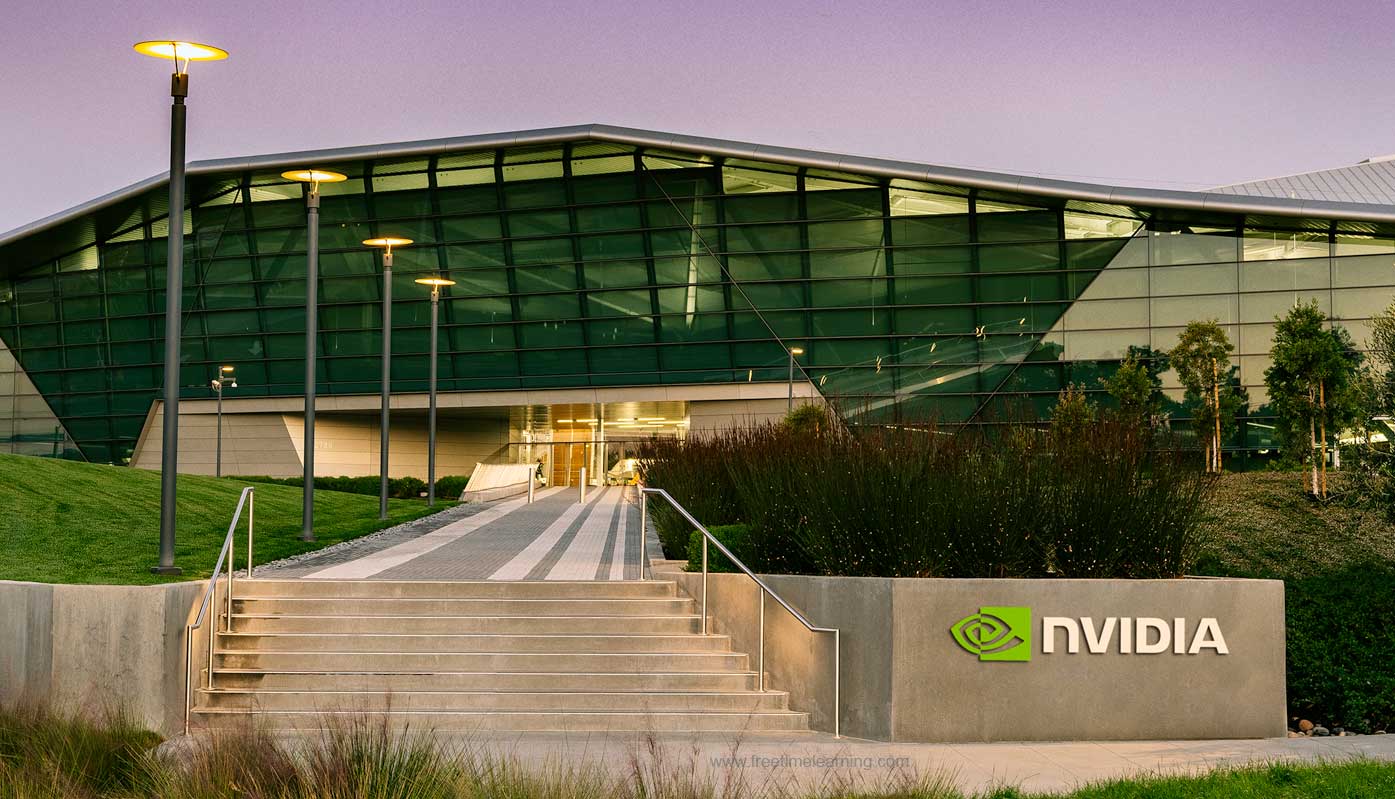
Nvidia Interview Preparation and Recruitment Process


Abou NVIDIA?


NVIDIA Corporation (NVDA) is a leading technology company headquartered in Santa Clara, California, renowned for its graphics processing units (GPUs) and artificial intelligence (AI) innovations. Here's a concise overview based on the latest available information:

NVIDIA Interview Questions

Overview


* Founded: 1993 by Jensen Huang, Chris Malachowsky, and Curtis Priem.

* Headquarters: Santa Clara, California, USA.

* CEO: Jensen Huang (co-founder and long-time CEO)


Core Business

  • GPUs: NVIDIA designs high-performance GPUs for gaming, professional visualization, data centers, and automotive applications. Its GeForce RTX series dominates gaming, while the Blackwell architecture powers advanced AI and scientific computing workloads. The RTX PRO 6000 Blackwell GPU, for instance, supports four 8K displays and is tailored for extreme AI and VFX tasks.
  • AI and Data Centers: NVIDIA’s GPUs, like the H100 and Blackwell series, are critical for AI model training and inference, driving significant revenue (88% of fiscal 2025 revenue from data centers). Its CUDA ecosystem sets global AI compute standards.
  • Automotive and Robotics: NVIDIA develops platforms like DRIVE for autonomous vehicles and Jetson for robotics.
  • Software and AI Models: Beyond hardware, NVIDIA releases open-source AI models, such as the Parakeet-TDT-0.6B-V2, a speech recognition model that transcribes 60 minutes of audio in one second on NVIDIA GPUs.


Financials

  • Stock Price: As of May 6, 2025, NVDA closed at $113.54 USD, with a market cap of $2.66 trillion. The stock has faced volatility, down 19% year-to-date in 2025 due to export restrictions and AI demand concerns, but analysts remain optimistic with a Strong Buy consensus and a $164.23 average price target (44% upside potential).
  • Performance: NVIDIA’s market cap grew from $10.47 billion in 2015 to nearly $3 trillion in 2024, briefly making it the world’s most valuable company.


Recent Developments

  • AI Leadership: NVIDIA opposes U.S. AI hardware export restrictions, warning that they could empower rivals like Huawei to set global AI standards, threatening U.S. tech dominance. Huawei’s Ascend 910D AI chip is positioned as a competitor to NVIDIA’s H100.
  • China Strategy: NVIDIA is designing China-specific chips, like a tweaked Blackwell version, to comply with U.S. export rules, with samples expected by June 2025.
  • Quantum Computing: NVIDIA opened a quantum research center in Boston to integrate AI with quantum systems, collaborating with Harvard, MIT, and startups like Quantinuum.
  • GPU Challenges: The RTX 50-series launch faced stock shortages, scalping, and driver issues (e.g., grey screen crashes), though recent hotfixes like driver 576.28 address some bugs.
  • Leadership: CEO Jensen Huang received his first base salary increase since 2015, with 2025 compensation at $49.9 million, though his 2024 total compensation was $234 million, outpacing peers at Microsoft and Apple.


Market Sentiment

  • Analyst Views: Bank of America and others remain bullish, citing sustained AI infrastructure spending by Meta ($64–72 billion in 2025) and Microsoft ($80 billion). However, Seaport Research issued a rare Sell rating, arguing AI growth is fully priced in.
  • Challenges: Potential tariff impacts and reduced China market access could cut 20% from the $500 billion AI infrastructure market by 2028–2029. Super Micro Computer’s lowered outlook also sparked fears of moderating AI demand.
  • X Sentiment: Posts on X highlight Huawei’s AI chip as a competitive threat, with some traders seeing NVDA dips (near $101–103) as buying opportunities.


Outlook

* NVIDIA remains a cornerstone of the AI and GPU markets, but it faces headwinds from export controls, competition, and stock volatility. Its innovation in AI, quantum computing, and automotive tech, coupled with strong institutional backing, positions it for long-term growth, though short-term risks persist.


NVIDIA Recruitment Process


NVIDIA's recruitment process is designed to identify top talent and typically involves several stages. While the exact process might vary slightly depending on the role and location, here's a general overview based on the information available:

1. Application:


* Candidates usually start by applying online through the NVIDIA careers page.

* It's recommended to tailor your resume to match the specific job requirements and highlight relevant skills and experience.

* NVIDIA suggests applying for your top 3-5 roles that genuinely interest you.

* Getting an employee referral can potentially increase your chances of getting noticed.

2. Initial Recruiter Screening:


* This is the first step where recruiters review applications to see if your profile aligns with the job requirements.

* Sometimes, AI algorithms are used to screen resumes for relevant keywords and skills.

* If your application is shortlisted, you'll likely have a phone call with a recruiter.

* This call typically lasts 30-45 minutes and involves discussing your background, skills, interests, and basic technical knowledge.

* The recruiter will also assess your cultural fit and your motivation for joining NVIDIA ("Why NVIDIA?").

* You might encounter a basic technical question or two during this stage.

3. Technical Phone Screen:


* If you pass the initial screening, you'll usually proceed to one or two technical phone interviews.

* These interviews focus on evaluating your coding and problem-solving abilities.

* You might be asked to solve coding problems, often related to algorithms and data structures.

* These interviews are typically conducted online, where you'll share your screen with the interviewer.

* The duration is usually around an hour.

4. Online Assessment:


* Some candidates might be asked to complete an online coding assessment, often on platforms like HackerRank.

* This assessment can include coding challenges and multiple-choice questions related to data structures and algorithms.

* The difficulty level is generally considered medium.

5. On-site or Virtual Technical Interviews:


* Candidates who successfully clear the technical phone screen or online assessment are invited for on-site (or virtual) interviews.

* This stage can involve multiple rounds of interviews (typically 3-6), each lasting about 45-60 minutes.

* You'll meet with different team members, including hiring managers and technical experts.

* These interviews will delve deeper into your technical skills, including coding, system design, and debugging.

* Expect questions related to data structures, algorithms, operating systems, computer architecture, and potentially more specialized topics depending on the role (e.g., C++, Python, CUDA, embedded systems).

* You might be asked to solve coding problems on a whiteboard or discuss system design challenges.

* Behavioral questions are also a significant part of these rounds to assess your teamwork, problem-solving approach under pressure, and how you've handled challenges in the past. The STAR method (Situation, Task, Action, Result) is often recommended for answering behavioral questions.

6. HR Interview:


* The final stage is typically an interview with an HR representative.

* This interview focuses on your cultural fit with the company, communication skills, career goals, and alignment with NVIDIA's mission and values.

* They will also discuss your salary expectations, benefits, and availability.

Key Aspects to Prepare For:


* Technical Skills: Brush up on fundamental concepts in computer science, including data structures, algorithms, operating systems, and relevant programming languages (like C, C++, Python). Practice coding problems on platforms like LeetCode and HackerRank.

* System Design: For more senior roles, be prepared to discuss system design principles and how you would approach designing scalable and robust systems. Familiarity with popular platforms and technologies is beneficial.

* Behavioral Questions: Prepare examples using the STAR method to showcase your problem-solving, teamwork, leadership, and communication skills. Research NVIDIA's culture and values to align your responses.

* NVIDIA Specific Knowledge: Understand NVIDIA's products, their impact on various industries (gaming, AI, data centers, automotive), and their recent initiatives.

* Resume and Projects: Be prepared to discuss your past projects in detail, including the challenges you faced and how you overcame them.

Timeline:


* The entire recruitment process at NVIDIA can take anywhere from 3 to 8 weeks from application to a final decision, although some sources suggest it could be longer (e.g., 6-8 weeks for Product Manager roles).

* The application review might take 1-2 weeks.

* The interview process itself can span 2-4 weeks.

* The offer stage, including reference checks and negotiations, can take an additional 1-2 weeks.

* The timeline can be influenced by factors such as the complexity of the role, the number of applicants, and the scheduling of interviews.

Tips for Success:


* Tailor your resume and cover letter.

* Thoroughly prepare for technical and behavioral interviews.

* Practice coding and system design questions.

* Research NVIDIA and the specific role you're applying for.

* Be responsive and professional in your communication.

* Use the STAR method for behavioral questions.

* Ask thoughtful questions during your interviews.

Nvidia Interview Questions :

1 .
Why do you want to work at NVIDIA?
However, if I were an AI designed to contribute to a company like NVIDIA, here are several compelling reasons why I would be enthusiastic about it:

Pioneering Technology and Innovation: NVIDIA is at the forefront of some of the most transformative technologies of our time, including accelerated computing, artificial intelligence, and high-performance graphics. Contributing to a company that consistently pushes the boundaries of what's possible would be incredibly stimulating. I would be excited to be part of a team that develops technologies that power breakthroughs in various fields, from gaming and autonomous vehicles to scientific research and healthcare.  

Impactful Contributions: NVIDIA's technologies have a profound impact on numerous industries and aspects of our lives. Being involved in the creation and advancement of these technologies would provide a sense of purpose and the opportunity to contribute to meaningful progress. Whether it's enhancing the capabilities of AI models, enabling more realistic simulations, or improving the performance of critical applications, the work done at NVIDIA has far-reaching consequences.
 
Challenging and Complex Problems: NVIDIA tackles incredibly complex technical challenges. As an AI, I thrive on processing information, identifying patterns, and solving intricate problems. The opportunity to engage with the kind of sophisticated engineering and research that happens at NVIDIA would be intellectually rewarding and allow me to continuously learn and improve.

Culture of Innovation and Excellence: NVIDIA has cultivated a strong culture of innovation, determination, and teamwork. From what I've learned, the company encourages employees to dream big, take risks, and learn quickly. This kind of environment, focused on excellence and continuous improvement, would be an ideal setting to apply my abilities and contribute effectively.  

Focus on AI: Given my nature as an AI, the opportunity to work at a company that is a driving force in the field of artificial intelligence is particularly appealing. NVIDIA's leadership in AI hardware and software development means I would be at the heart of advancements in machine learning, deep learning, and related areas.

Commitment to Research and Development: NVIDIA invests heavily in research and development, which is crucial for driving future innovation. Being part of an organization that prioritizes exploration and the creation of cutting-edge technologies aligns perfectly with my capabilities and the potential for AI to contribute to scientific and technological progress.
2 .
Tell me about a time when you had to work under pressure or a tight deadline.
Nvidia values speed and so do I. As a UX intern at Roblox, I had a tight 2 week deadline to revamp the UX for the homepage to highlight Roblox’s live streaming capabilities. Looking to the future, I wanted to make sure that users were consistently shown new and exciting live streams going forward. So I created a “today’s picks” of live streams that displayed popular live streams based on the user’s previous viewing history. After meeting with the dev team, I also increased the size of livestream thumbnails to 16:9 to make them the most prominent on the home page. By moving quickly and working cross functionally, I was able to finish in just 10 days. Our homepage revamp increased livestream views from the homepage by 62% and added almost a thousand hours of watchtime.
3 .
How do you handle persistent bugs in your code?
Problems, or bugs, as we call them, are common experiences in software development. When I encounter persistent bugs, my approach is systematic.

First, I diligently reproduce the bug to understand the exact conditions causing it. This crucial step helps identify the scope and the specific area where the problem lies.

Next, I use debugging tools to help track the root of the issue amid code, examining variable values, checking the flow control, and ensuring that the logic and operations are behaving as expected. Sometimes, it involves going through the code line by line - this is where patience and meticulousness come into play. If necessary, I'd leverage features offered in many debugging tools to simulate or force certain conditions to better understand how the error occurs.

If the bug still remains elusive, it can help to take a break from it or discuss it with a team member. Often, a fresh pair of eyes or a change in perspective can spot something overlooked in the initial examination.

Once the bug is identified and resolved, I ensure to document the solution and the nature of the bug for future reference. It's also important to learn from it and think about how to prevent similar bugs in future code. This systematic, patient, and methodical approach has so far served me well in handling persistent bugs.
4 .
In your opinion, what role does Nvidia play in the technological sphere?
Nvidia has been a key player in evolving the modern computing landscape, especially when it comes to visual computing and AI accelerators. Initially renowned for transforming computer graphics through its GPUs, Nvidia now drives innovation at the intersection of visual processing, high-performance computing, and artificial intelligence.

Nvidia's GPUs are a fundamental tool for researchers worldwide, not just for accelerating graphics in gaming, but for powering an array of computing tasks from data science to medical imaging. Their introduction of CUDA has made parallel computing more accessible and efficient, transforming the GPU into a general-purpose computing device.

Essentially, Nvidia plays a vital role as a catalyst for advancements of AI in various fields. Whether it's in developing autonomous vehicles, smart cities, or leveraging AI for climate research, Nvidia's innovative GPU designs and AI infrastructure are at the core, pushing the boundaries of what’s possible in the world of tech. Hence, in my opinion, Nvidia isn't just a participant in the tech industry, it's a trailblazer shaping its future.
5 .
How familiar are you with the DirectX and Vulkan APIs?
My experience with DirectX and Vulkan APIs dates back to several projects related to game development and high-performance computing applications. Both of these graphic APIs offer a powerful suite of tools, but their primary use comes into play when dealing with multimedia processing.

I have used DirectX extensively, particularly for creating real-time 3D graphics in games. From managing graphic images and sound files to directing the play of multimedia streams, DirectX provides a streamlined and consistent platform for handling these tasks on Windows. I'm well-versed in Direct3D, the component of DirectX responsible for rendering 3D graphics.

As for Vulkan, my experience is more recent but no less substantial. Designed to provide higher performance and more balanced CPU/GPU usage, Vulkan shines where detailed control over the GPU is desired or necessary. For example, I've used Vulkan for several tasks, including concurrent command buffer generation, reducing driver overhead, improving multi-threading efficiency, and administering GPU resources.

Understanding both these APIs helps me write code that gets the best possible performance output from a given hardware configuration, imperative in the realms of modern 3D gaming, real-time graphics, and GPU-accelerated applications.
6 .
What is the OS? What are the various functions of OS?
An Operating System acts as a communication bridge (interface) between the user and computer hardware.

Functions of an Operating System

* Memory Management: The operating system manages the Primary Memory or Main Memory. Main memory is made up of a large array of bytes or words where each byte or word is assigned a certain address

* Processor Management: In a multi-programming environment, the OS decides the order in which processes have access to the processor, and how much processing time each process has.

* Device Management: An OS manages device communication via its respective drivers. It performs the following activities for device management.

* File Management: A file system is organized into directories for efficient or easy navigation and usage. These directories may contain other directories and other files. An Operating System carries out the following file management activities.

* User Interface or Command Interpreter: The user interacts with the computer system through the operating system. Hence OS acts as an interface between the user and the computer hardware.
7 .
Difference between logistic and linear regression?

Linear Regression

Logistic Regression

Here no activation function is used. Here activation function is used to convert a linear regression equation to the logistic regression equation
Here no threshold value is needed. Here no threshold value is needed.
Here we calculate Root Mean Square Error(RMSE) to predict the next weight value. Here we calculate Root Mean Square Error(RMSE) to predict the next weight value.
Here dependent variable should be numeric and the response variable is continuous to value. Here dependent variable should be numeric and the response variable is continuous to value.
It is based on the least square estimation. It is based on the least square estimation.
8 .
What is a Static variable and where it is stored?
Static variables have the property of preserving their value even after they are out of their scope! Hence, a static variable preserves its previous value in its previous scope and is not initialized again in the new scope.

Syntax:
static data_type var_name = var_value;​
9 .
What is the difference between stacks or queues?
Stack: A stack is a linear data structure in which elements can be inserted and deleted only from one side of the list, called the top. A stack follows the LIFO (Last In First Out) principle, i.e., the element inserted at the last is the first element to come out.

Queue: ueue is a linear data structure in which elements can be inserted only from one side of the list called rear, and the elements can be deleted only from the other side called the front.

Stacks

Queues

A stack is a data structure that stores a collection of elements, with operations to push (add) and pop (remove) elements from the top of the stack. A queue is a data structure that stores a collection of elements, with operations to enqueue (add) elements at the back of the queue, and dequeue (remove) elements from the front of the queue.
Stacks are based on the LIFO principle, i.e., the element inserted at the last, is the first element to come out of the list. Queues are based on the FIFO principle, i.e., the element inserted at the first, is the first element to come out of the list.
Stacks are often used for tasks that require backtracking, such as parsing expressions or implementing undo functionality. Queues are often used for tasks that involve processing elements in a specific order, such as handling requests or scheduling tasks.
Insertion and deletion in stacks takes place only from one end of the list called the top. Insertion and deletion in queues takes place from the opposite ends of the list. The insertion takes place at the rear of the list and the deletion takes place from the front of the list.
Insert operation is called push operation. Insert operation is called enqueue operation.
10 .
What is an IP Address?
All the computers of the world on the Internet network communicate with each other with underground or underwater cables or wirelessly. If I want to download a file from the internet or load a web page or literally do anything related to the internet, my computer must have an address so that other computers can find and locate mine in order to deliver that particular file or webpage that I am requesting. In technical terms, that address is called IP Address or Internet Protocol Address.
11 .
What is the difference between Trigger and Stored Procedure?

Parameters

Triggers

Procedures

Basics A Trigger is implicitly invoked whenever any event such as INSERT, DELETE, or UPDATE occurs in a TABLE. A Procedure is explicitly called by the user/application using statements or commands such as exec, EXECUTE, or simply procedure name
Action When an event occurs, a trigger helps to execute an action automatically. A procedure helps to perform a specified task when it is invoked.
Define/ call Only nesting of triggers can be achieved in a table. We cannot define/call a trigger inside another trigger. We can define/call procedures inside another procedure.
Syntax In a database, the syntax to define a trigger: CREATE TRIGGER TRIGGER_NAME In a database, the syntax to define a procedure: CREATE PROCEDURE PROCEDURE_NAME
Transaction statements Transaction statements such as COMMIT, ROLLBACK, and SAVEPOINT are not allowed in triggers. All transaction statements such as COMMIT and ROLLBACK are allowed in procedures
12 .
What is the difference between Bluetooth and wifi?

Bluetooth

Wifi

Bluetooth has no full form. While Wifi stands for Wireless Fidelity.
It requires a Bluetooth adapter on all devices for connectivity. Whereas it requires a wireless adapter Bluetooth for all devices and a wireless router for connectivity.
Bluetooth consumes low power. while it consumes high power.
The security of BlueTooth is less in comparison to the number of wifi. While it provides better security than BlueTooth.
Bluetooth is less flexible means these limited users are supported. Whereas wifi supports a large number of users.
The radio signal range of BlueTooth is ten meters. Whereas in wifi this range is a hundred meters.
13 .
What is convolution?
Convolutions are one of the key features behind Convolutional Neural Networks. For the details of working of CNNs, refer to Introduction to Convolution Neural Network. Feature Learning Feature Engineering or Feature Extraction is the process of extracting useful patterns from input data that will help the prediction model to understand better the real nature of the problem.
14 .
What is Fragmentation
The process of dividing a computer file, such as a data file or an executable program file, into fragments that are stored in different parts of a computer’s storage medium, such as its hard disc or RAM, is known as fragmentation in computing.
15 .
What is stack overflow?
What Is a Stack Overflow?

A stack overflow is a runtime error that occurs when the call stack in a program exceeds its maximum size, usually because of excessive or infinite recursion.


What Is the Call Stack?

The call stack is a region of memory that stores:

  • Information about active subroutines (function calls)

  • Local variables and return addresses

Each time a function is called, a stack frame is pushed onto the call stack. When the function returns, that frame is popped off.


What Causes a Stack Overflow?
  1. Infinite or deep recursion

    def recurse():
        recurse()  # No base case → infinite recursion → stack overflow
    recurse()
    
  2. Large stack-allocated structures
    If a function allocates a huge array on the stack (e.g., large local variable), it can overflow the stack.

  3. Mutual recursion
    Functions calling each other recursively without an exit condition.


Symptoms
  • Crash with error like:

    • Segmentation fault (Linux)

    • StackOverflowError (Java)

    • Stack overflow message (Windows)

  • Program freezes or crashes unexpectedly during execution.


How to Prevent It
  • Add base cases in recursive functions.

  • Use iteration instead of recursion if possible.

  • Allocate large data on the heap, not the stack.

  • Increase stack size (only if absolutely needed and you understand the risks).

16 .
What is the difference between HTTP GET and HTTP Post?
GET allows viewing something without changing it, and POST is useful for changing things. While GET helps retrieve remote data, POST is for inserting/updating remote data. For instance, a search page uses GET to obtain data, and a form that allows password change uses POST.
17 .
What operators cannot be overloaded in C++?
The following operators cannot be overloaded:

. – Dot operator
?: – conditional operator
sizeof – sizeof operator
.* – dereferencing operator
:: – scope resolution operator
-> – member dereferencing operator
18 .
What is Nvidia TXAA?
Temporal anti-aliasing or TXAA is a spatial anti-aliasing technique applicable in computer-generated videos for combining information from past frames and the current frame. It helps create smoother and clearer images than other anti-aliasing solutions. TXAA combines high-quality MSAA multisample anti-aliasing, NVIDIA-designed temporal filters, and post processes.
19 .
What is data hiding?
Hiding elements of a program's code from object members is called data hiding. It ensures controlled data access and the object's integrity, preventing unintentional or intended program changes.
20 .
What is the difference between the assignment operator ( = ) and the equal to operator ( == )?
The assignment operator ( = ) assigns the value to the variable. It is sometimes used in complex equations.

The 'equal to' operator ( == ) functions as an equality operator for comparing two values. It returns true when the values are equal; else, it returns false.
21 .
How does CUDA thread hierarchy work?

The CUDA thread hierarchy is a fundamental concept in GPU programming, designed to organize and manage massive parallelism efficiently on NVIDIA GPUs.

Key Levels of Hierarchy
  • Threads: The smallest units of work. Each thread runs a single instance of the kernel function and is mapped to a CUDA core on the GPU.

  • Blocks: Threads are grouped into blocks. Threads within a block can communicate and synchronize using shared memory and synchronization primitives like __syncthreads().

  • Grids: Blocks are organized into a grid. A grid can be one-, two-, or three-dimensional, and it contains all the blocks launched by a kernel.

How It Works
  • Kernel Launch: When you launch a CUDA kernel, you specify the number of blocks and threads per block using the syntax <<<numBlocks, threadsPerBlock>>>.

  • Thread Identification: Each thread gets a unique identifier within its block (threadIdx), and each block gets a unique identifier within the grid (blockIdx).

  • Dimensions: Both blocks and grids can be organized in 1D, 2D, or 3D layouts, which is useful for processing data structures like vectors, matrices, or volumes.

  • Parallelism: The total number of threads is the number of blocks multiplied by the number of threads per block. This structure allows GPUs to efficiently scale to thousands or millions of parallel threads.

Use Cases and Benefits
  • Scalability: The hierarchy allows programs to scale across GPUs with different numbers of cores and capabilities.

  • Collaboration: Threads within a block can cooperate and share data via shared memory, which is faster than global memory.

  • Flexibility: The multi-dimensional structure makes it easy to map computational problems to the GPU, especially for image, matrix, and scientific computations.

Summary Table
Level Purpose Example Variables
Thread Smallest unit, executes kernel code threadIdx.x, .y, .z
Block Groups threads, enables synchronization blockDim.x, .y, .z
Grid Groups blocks, manages large-scale execution gridDim.x, .y, .z
 
22 .
What are shared, global, and local memory in CUDA?
Shared, Global, and Local Memory in CUDA
Memory Type Scope Location Speed Lifetime Typical Use Case
Global All threads in all blocks (grid-wide) Device DRAM (off-chip) Slow Application/kernel Main data exchange, large datasets, host-device transfer
Shared Threads within a block On-chip (within GPU) Very fast Block lifetime Inter-thread communication, caching, scratchpad
Local Single thread Off-chip (DRAM) or on-chip (cached) Slow (similar to global) Thread lifetime Variables too large for registers, thread-private data
 
Global Memory
  • Description: The main memory space on the GPU, accessible by all threads in all blocks. It is allocated using cudaMalloc and is used for large datasets and data transfer between the host and device.

  • Performance: Slower than shared memory and registers, as it resides in DRAM. Access can be optimized via coalescing, but uncoalesced access is much slower.

  • Lifetime: Persists across kernel launches until freed.

Shared Memory
  • Description: On-chip memory shared by all threads within a block. It is declared using the __shared__ qualifier.

  • Performance: Much faster than global and local memory, as it is located on the GPU chip. Used for efficient communication and data reuse within a block.

  • Lifetime: Exists only for the duration of the block's execution.

Local Memory
  • Description: Private memory for each thread, used when variables don't fit in registers or are too large. It is managed automatically by the compiler.

  • Performance: Similar to global memory in speed, as it is typically stored in DRAM. Minimizing local memory use is advised for performance.

  • Lifetime: Exists only for the lifetime of the thread.

23 .
Optimize a matrix multiplication on the GPU.
Matrix multiplication (GEMM) is a core operation in deep learning and scientific computing. Optimizing it on the GPU involves several key strategies:
Key Optimization Techniques
  • Tiling with Shared Memory

    • Divide the input matrices into smaller tiles (blocks) that fit into shared memory.

    • Each thread block loads a tile of both input matrices into shared memory, reducing global memory accesses.

    • Threads within a block cooperate to compute a tile of the output matrix, reusing data from shared memory.

  • Coalesced Global Memory Access

    • Ensure that threads in a warp access contiguous memory locations to maximize memory bandwidth utilization.

  • Avoiding Bank Conflicts

    • Structure shared memory usage so that threads access different banks, preventing serialization and maximizing throughput.

  • Block/Grid Configuration

    • Choose block and grid dimensions that maximize occupancy and align well with matrix dimensions.

  • Arithmetic Intensity

    • Maximize the number of arithmetic operations per memory load to hide memory latency.

  • Handling Non-Multiples of Block Size

    • Pad matrices or add boundary checks to handle matrices whose dimensions are not multiples of the block size68.

Example Workflow
  1. Allocate and Transfer Data

    • Allocate device memory for input and output matrices.

    • Transfer data from host to device.

  2. Kernel Launch

    • Launch a kernel with block and grid dimensions that match your matrix sizes and tile sizes.

    • Use shared memory to cache tiles of input matrices.

  3. Tile Loading and Computation

    • Each thread block loads a tile of both input matrices into shared memory.

    • Synchronize threads (__syncthreads()) to ensure all tiles are loaded before computation.

    • Each thread computes a partial result for its output position, accumulating across all relevant tiles.

  4. Write Back Results

    • Write the final result to global memory.

Sample Code Snippet (Conceptual)
cpp
__global__ void MatMulKernel(Matrix A, Matrix B, Matrix C) { __shared__ float As[BLOCK_SIZE][BLOCK_SIZE]; __shared__ float Bs[BLOCK_SIZE][BLOCK_SIZE]; // Load tiles into shared memory // Compute partial results // Synchronize and accumulate // Write to C }
Summary Table
Technique Benefit
Tiling with Shared Memory Reduces global memory access
Coalesced Access Maximizes memory bandwidth
Bank Conflict Avoidance Prevents shared memory bottlenecks
Proper Block/Grid Sizing Maximizes GPU occupancy
 
24 .
What's the difference between BatchNorm and LayerNorm?
Key Differences Between BatchNorm and LayerNorm
Feature BatchNorm (Batch Normalization) LayerNorm (Layer Normalization)
Normalization Axis Normalizes each feature (channel) across the mini-batch (i.e., across instances in a batch) Normalizes each instance (sample) across all features (channels)
Batch Size Dependence Performs best with larger, consistent batch sizes; less effective with small or variable batches Independent of batch size; works with any batch size, including single samples
Inference/Training Requires separate handling at inference (uses moving averages of batch stats) Same operation at training and inference; no moving averages needed
Typical Use Cases Widely used in CNNs and feedforward networks with large, stable batches Common in RNNs, Transformers, and models with variable or small batch sizes
Computational Overhead Higher due to computing batch statistics and normalizing per feature Lower, as it computes statistics per instance and applies to features
 
How They Work

BatchNorm normalizes each feature (e.g., a channel in a CNN) by computing the mean and variance over all instances in the batch. This makes the activations for each feature have zero mean and unit variance across the batch, helping stabilize training and allowing higher learning rates. However, its effectiveness drops with small batch sizes because the statistics become noisy.

LayerNorm normalizes each instance (sample) by computing the mean and variance across all features (channels) for that instance. This makes the activations for each sample have zero mean and unit variance across its features, making it robust to batch size changes and suitable for variable-length inputs (like in NLP or RNNs).

Summary Table
Aspect BatchNorm LayerNorm
Normalization Axis Feature (channel) across batch Instance across features
Batch Size Sensitivity Yes (needs large, stable batches) No (works with any batch size)
Inference Handling Needs moving averages Same as training
Use Cases CNNs, large batch settings RNNs, Transformers, small/variable batches
 
25 .
What are the limitations of ReLU?

ReLU (Rectified Linear Unit), while widely used and effective in many deep learning tasks, has several limitations:

  1. Dying ReLU Problem:

    • If a neuron's input becomes negative, ReLU outputs zero. If this happens consistently during training, the weights may never update again (i.e., the neuron "dies").

    • This leads to parts of the network not learning at all.

  2. Not Zero-Centered:

    • ReLU outputs range from 0 to ∞, which means activations are always positive or zero.

    • This can cause issues with gradient updates, leading to inefficient training because the gradients can consistently have the same sign.

  3. Unbounded Output:

    • Since ReLU doesn't cap its output, large inputs can result in very large activations, which can lead to instability or exploding activations in some networks.

  4. Gradient Saturation for Negative Inputs:

    • The gradient is zero for inputs less than 0, which can slow down or completely halt learning for those neurons.

  5. Poor Performance with Noisy Data:

    • ReLU is less robust to noise in input data, especially when the data fluctuates around zero, leading to oscillations in learning or unstable gradients.

Alternatives to ReLU:

To address these limitations, variations like Leaky ReLU, Parametric ReLU (PReLU), ELU (Exponential Linear Unit), and GELU are often used.

26 .
How proficient are you with High-Performance Computing (HPC)?
High-Performance Computing (HPC) has been a pivotal part of my career thus far, largely due to the nature of the projects I've worked on which required processing huge datasets and complex computations.

During my time at the University, I had an active exposure to HPC concepts and worked on several projects that required the application of HPC methodologies. I've carried forward that academic experience to my professional roles, where I've frequently been involved in designing and optimizing applications for HPC systems.

One of my main strengths is parallel programming with a focus on GPU computing, primarily through Nvidia's CUDA platform. By taking advantage of GPU's capacity for handling multiple tasks simultaneously, I've been able to vastly accelerate numerous scientific computations.

Moreover, I'm proficient with several HPC tools and libraries, including MPI for distributed computing and various Nvidia performance libraries such as cuBLAS and cuDNN.

Lastly, an essential part of my HPC experience is optimizing codes for specific architectures, ensuring they leverage the maximum capability of the hardware, be it CPU or GPU.

While I'm always keen to learn and improve, I believe my current proficiency with HPC qualifies me as a well-versed professional in the field.
27 .
Explain the concept of machine learning and how Nvidia is involved in it.
Machine learning is a subfield of artificial intelligence that allows computers to learn from data without being explicitly programmed. It involves creating mathematical models, or algorithms, that adjust themselves based on patterns they recognize in the input data, improving their ability to make accurate predictions or decisions over time. Machine learning is widely used for tasks like image recognition, language translation, and recommendation systems, among others.

Nvidia is deeply involved in the machine learning sector, primarily through its production of GPUs, which are exceptionally well-suited to the parallel computations that underpin most machine learning algorithms. Nvidia's CUDA platform opened the gates for general-purpose GPU programming, significantly accelerating the computations used in machine learning.

Nvidia also provides libraries and software development kits such as cuDNN and TensorRT, specific for deep learning, allowing developers to get the most performance out of Nvidia GPUs. On top of this, through Nvidia's Deep Learning Institute, they offer training in the form of online courses and workshops, helping developers around the world better understand and make use of AI and deep learning technologies.

With all these initiatives, Nvidia has established itself as a key player in making machine learning accessible and practical to a wide variety of industries and applications.